Updates
StormTunnel → Settings (Cmd+,) → Updates tab
StormTunnel uses Sparkle to check for updates over HTTPS. All updates are verified with EdDSA (ed25519) signatures before installation.
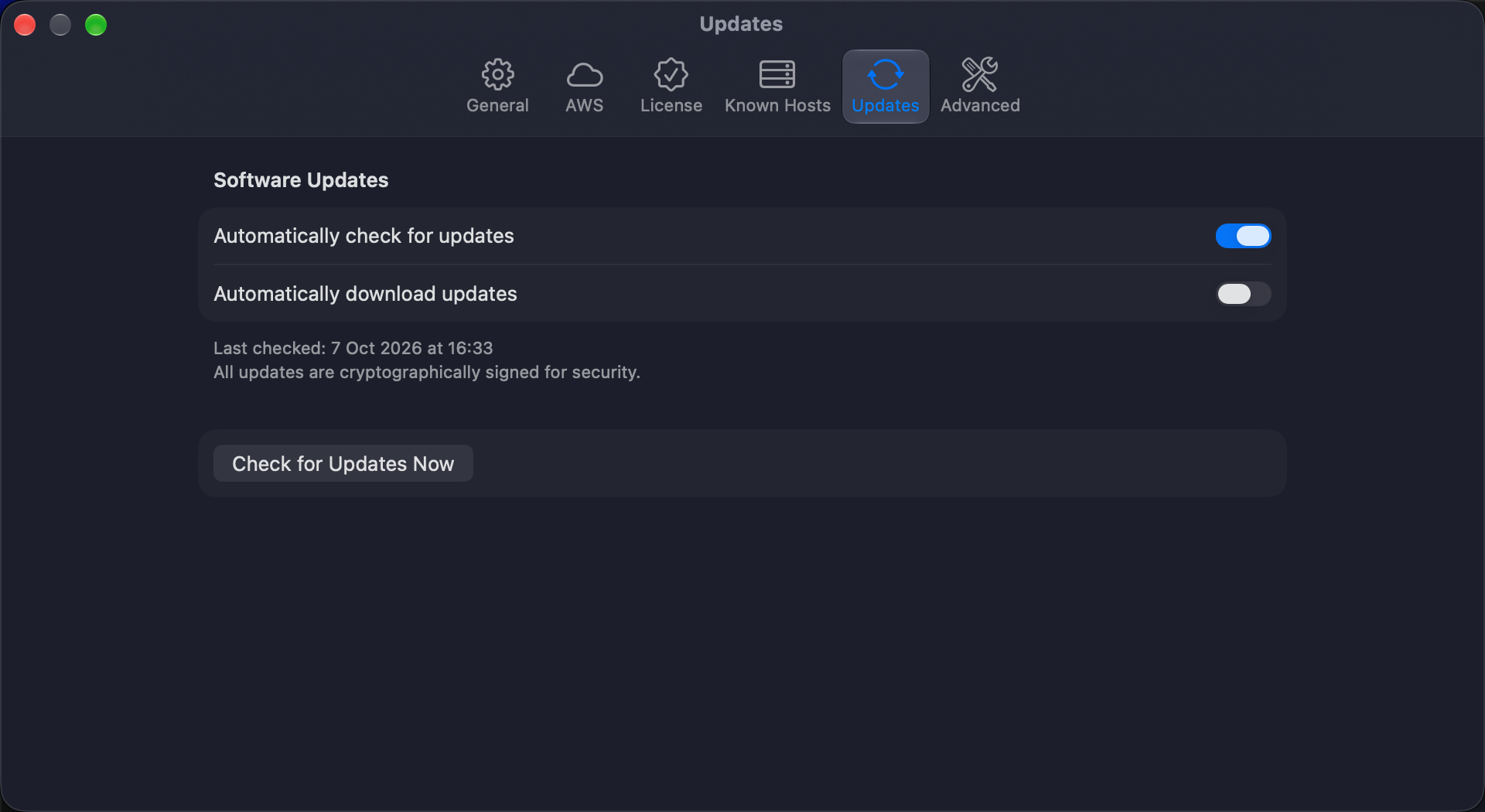
Settings
| Setting | Description | Default |
|---|---|---|
| Automatically check for updates | Check for new versions in the background every 24 hours. | On |
| Automatically download updates | Download updates silently when found. Requires automatic checking. When the download finishes, a prompt asks you to install now or later. | Off |
Check manually
Click Check for Updates Now below the settings in the Updates tab, or use the menu bar: StormTunnel → Check for Updates…
If an update is available, you see the version number, release notes, and options to install or skip.
Display info
- Last checked -- date and time of the most recent check, shown under the settings.
- Security note -- confirms that all updates are cryptographically signed.
Privacy
The update check sends your app version, macOS version, and system language. No personal data, license keys, tunnel configurations, or usage analytics are transmitted.
Signature verification
Never bypass signature verification. It protects against tampered updates.
Keyboard shortcuts
Press Cmd+, to open Settings, then select Updates in the toolbar. Settings tabs have no dedicated shortcuts.