AWS Session Manager
Use AWS Session Manager to forward a local port through an SSM-managed EC2 instance to a private RDS database or another service the instance can reach.
What You Need
On your Mac:
- AWS CLI v2 and the Session Manager plugin. Settings > AWS > Verify AWS Setup… shows whether StormTunnel can find them.
- An AWS profile with permission to start and end the required Session Manager sessions.
- An active AWS credential session. For IAM Identity Center profiles, sign in with the AWS CLI, or use StormTunnel's in-app SSO sign-in with a Premium license.
In AWS:
- An EC2 instance registered as a Systems Manager managed node.
- Network access from that instance to the destination host and port.
- An instance role with Systems Manager permissions.
No inbound SSH port is required on the EC2 instance. See AWS configuration for the administrator setup and IAM policies for permission guidance.
Create a Session Manager Tunnel
- Click +, enter a Tunnel Name, and set Connection Type to AWS Session Manager.
- Under AWS Session Manager, choose the AWS Profile and AWS Region. Sign in if the profile uses SSO.
- Under Destination, enter the Instance ID, the Database or Service Host, and the Remote Port.
- Under Check Access, click Validate. Optionally click Test Permissions.
- Under Port Forwarding, choose an unused Local Port.
- Click Save and connect the tunnel.
Leave Database or Service Host empty to reach a port on the managed instance itself. For a database example, see Connect to a private AWS RDS database.
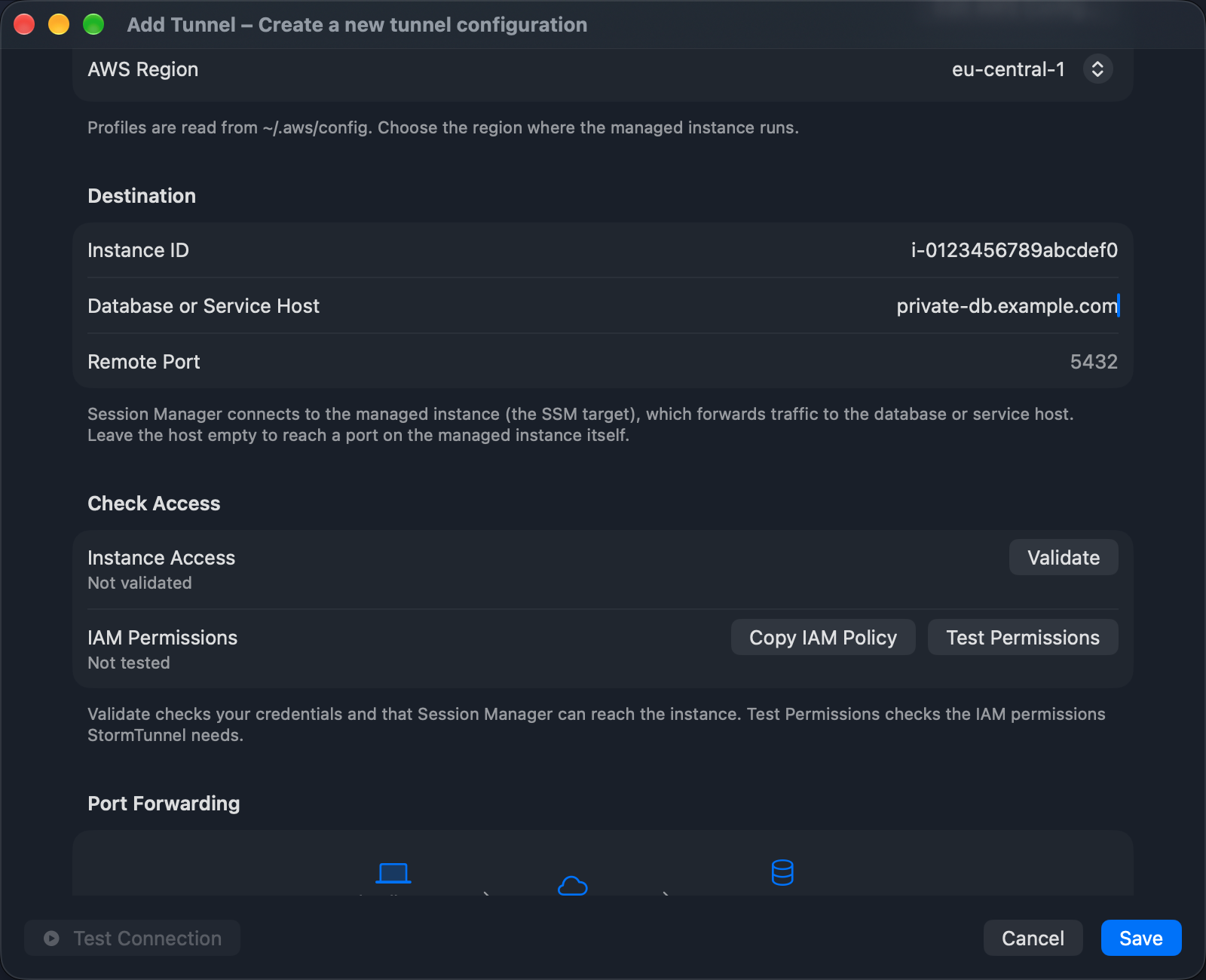
Check Access
- Validate checks your credentials and tries to verify the managed instance's status. Optional Describe permission failures can leave the status unverified without preventing a connection attempt to an instance ID.
- Test Permissions checks the Describe permissions StormTunnel uses for discovery.
ssm:StartSessionandssm:TerminateSessionare shown as Unverified because those actions cannot be checked without starting or ending a real session. - Copy IAM Policy copies an example policy to the clipboard.
Both checks use AWS CLI v2 to resolve credentials, as starting a tunnel does. Preflight does not send traffic to the destination. After the tunnel is running, connect a client to its local port to verify the path from the managed instance to the destination. If AWS Tools Missing appears in this section, click Check AWS Setup….
Licensing
Session Manager tunnels are available on every plan. The Free plan runs one tunnel at a time (SSH or AWS). Premium removes the limit and adds in-app SSO sign-in. See License management.
Common Uses
- Connect to a private RDS or Aurora database.
- Reach an internal service or admin page.
- Forward multiple services through the same EC2 instance using different local ports.
Troubleshooting
Check the selected profile and region, instance status, IAM permissions, and network access from the EC2 instance to the destination. The AWS CLI and Session Manager plugin must also be installed where StormTunnel can find them (/opt/homebrew/bin and /usr/local/bin are searched, along with the AWS plugin installer location).
See Troubleshooting.